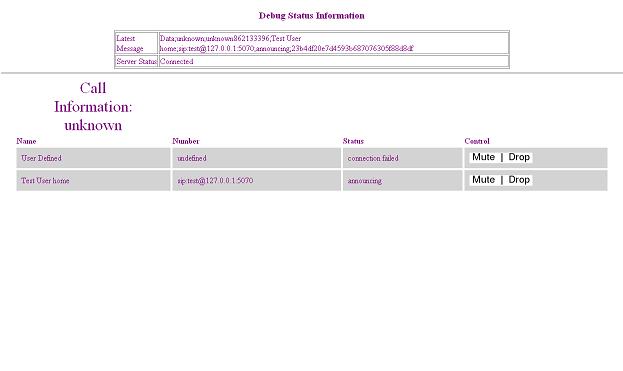
Step 1: Verify everything is working correctly by initiating a test conference
1a. Open a web browser and go to the following address: http://127.0.0.1:9990/push2web/applet/vcmMonitor.html
2a. Open the SIP phone by clicking on Start > All Programs > Voxeo > SIP Phone.
3a. Dial the number sip:vcm@127.0.0.1
4a. When prompted to add a person to a call say "Test User".
5a. You will hear a TTS voice say "beep", follow this by saying "Add".
6a. The system should them disconnect you, followed shortly by a call ringing into your sip phone.
7a. Take notice in your web browser where the current status of the conference is updated live.
Step 2: Configuring and Expanding Voice Conference Manager
1b. The configuration files and related Readme.txt files are located in the following directories:
2b. To add additional users you must edit C:\Program Files\Voxeo\www\vcm-p2006\data\defaultuser.xml
3b. Please read the relevant Readme.txt and other application documentation before making changes.